> ## Documentation Index
> Fetch the complete documentation index at: https://docs.opper.ai/llms.txt
> Use this file to discover all available pages before exploring further.
# Memory
> Store text and documents, retrieve the most relevant chunks at query time.
Memory stores text and documents and returns the relevant chunks at query time. Use it to ground responses in your own data, give agents long-term context, or run it as a managed semantic datastore.
A typical use: drop a folder of support tickets into a knowledge base and pull the closest past resolutions into every new reply.
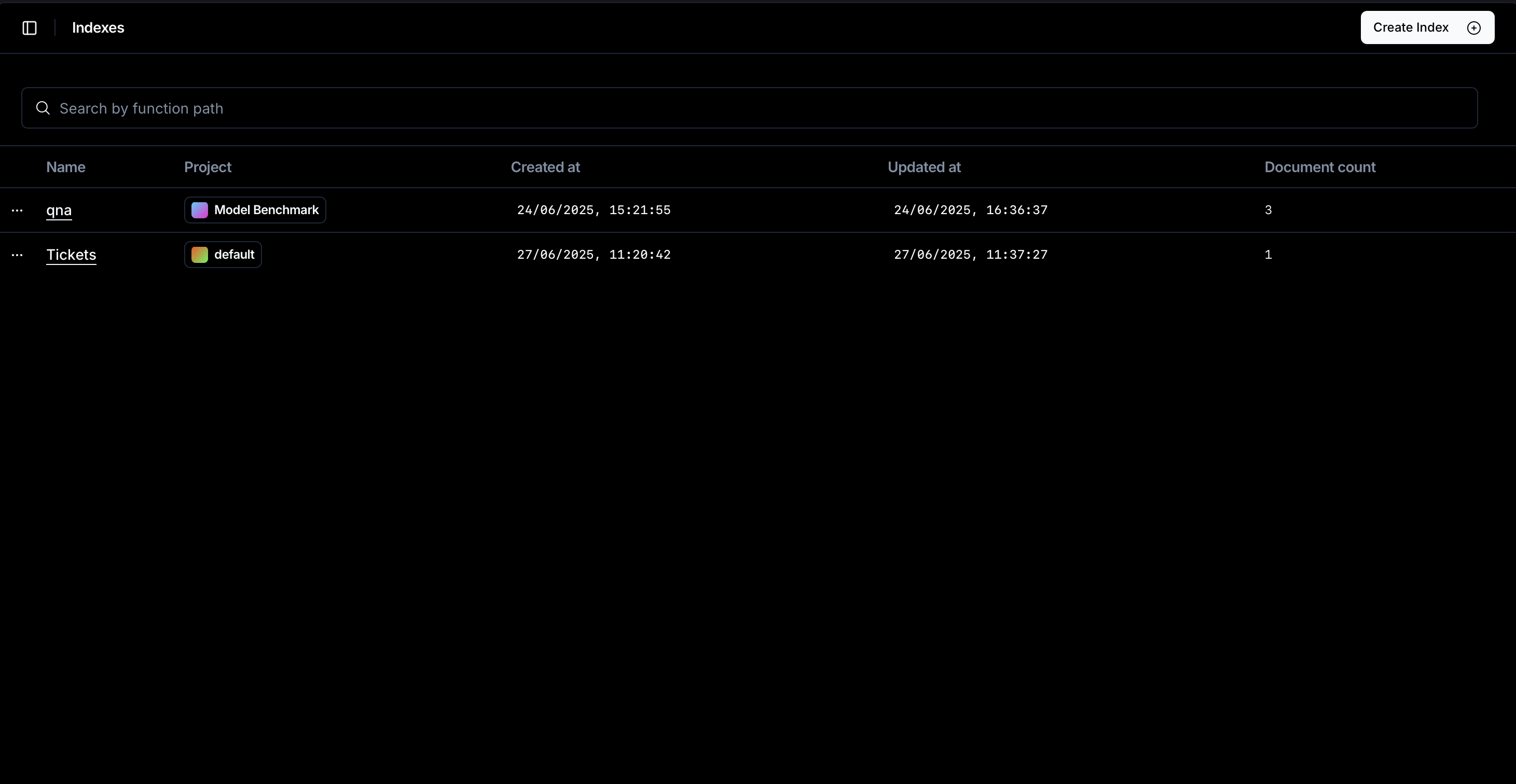
Unlike the other Control Plane features, Memory has no rules to configure. You call it from code and manage knowledge bases visually in the **Memory** section of [platform.opper.ai](https://platform.opper.ai). Each knowledge base is one isolated store of entries and uploaded files.
## How it works
When you add data, Memory chunks the content into segments and embeds each chunk with `azure/text-embedding-3-large`. At query time it embeds the query with the same model, retrieves the most similar chunks, and reranks them so the most relevant come first.
## Adding text entries
Use `add` for structured records (tickets, notes, FAQ entries) that you can serialise to a string. Each call writes one entry. Re-adding with the same `key` overwrites the previous entry, so use it for idempotent writes.
```python Python theme={null}
from opperai import Opper
from pydantic import BaseModel
from typing import Literal
import os
opper = Opper(api_key=os.getenv("OPPER_API_KEY"))
class SupportTicket(BaseModel):
ticket_id: str
issue_description: str
issue_resolution: str
status: Literal['open', 'in_progress', 'resolved', 'closed']
try:
kb = opper.knowledge.get_by_name(name="Tickets")
except Exception:
kb = opper.knowledge.create(name="Tickets")
ticket = SupportTicket(
ticket_id="123",
issue_description="I can't log in. Password reset emails never arrive.",
issue_resolution="Verified the user is on the new auth provider and re-triggered the welcome email.",
status="resolved",
)
opper.knowledge.add(
kb.id,
key=ticket.ticket_id, # unique key; re-adding with the same key overwrites
content=ticket.model_dump_json(),
metadata={"source": "our_ticket_system", "status": ticket.status},
)
```
```typescript TypeScript theme={null}
import { Opper } from "opperai";
const opper = new Opper({ apiKey: process.env.OPPER_API_KEY! });
interface SupportTicket {
ticket_id: string;
issue_description: string;
issue_resolution: string;
status: 'open' | 'in_progress' | 'resolved' | 'closed';
}
let kb;
try {
kb = await opper.knowledge.getByName("Tickets");
} catch {
kb = await opper.knowledge.create({ name: "Tickets" });
}
const ticket: SupportTicket = {
ticket_id: "123",
issue_description: "I can't log in. Password reset emails never arrive.",
issue_resolution: "Verified the user is on the new auth provider and re-triggered the welcome email.",
status: "resolved",
};
await opper.knowledge.add(kb.id, {
key: ticket.ticket_id,
content: JSON.stringify(ticket),
metadata: { source: "our_ticket_system", status: ticket.status },
});
```
```bash cURL theme={null}
# Create knowledge base
curl -X POST https://api.opper.ai/v2/knowledge \
-H "Content-Type: application/json" \
-H "Authorization: Bearer ${OPPER_API_KEY}" \
-d '{"name": "Tickets"}'
# Add an entry
curl -X POST https://api.opper.ai/v2/knowledge/{KNOWLEDGE_BASE_ID}/add \
-H "Content-Type: application/json" \
-H "Authorization: Bearer ${OPPER_API_KEY}" \
-d '{
"key": "123",
"content": "{\"ticket_id\":\"123\",\"issue_description\":\"I can'\''t log in.\",\"status\":\"resolved\"}",
"metadata": {"source": "our_ticket_system", "status": "resolved"}
}'
```
## Uploading files
`upload` ingests files end-to-end. Memory extracts text from PDFs, Word documents, plain text, and Markdown, then chunks and embeds them in the background.
```bash cURL theme={null}
# Upload a file (multipart)
curl -X POST https://api.opper.ai/v2/knowledge/{KNOWLEDGE_BASE_ID}/upload \
-H "Authorization: Bearer ${OPPER_API_KEY}" \
-F "file=@./handbook.pdf"
```
The response carries the file's `id`, storage `key`, `original_filename`, and a numeric `document_id`. List the knowledge base's files to watch indexing progress:
```bash cURL theme={null}
curl https://api.opper.ai/v2/knowledge/{KNOWLEDGE_BASE_ID}/files \
-H "Authorization: Bearer ${OPPER_API_KEY}"
```
```json theme={null}
{
"meta": {"total_count": 1},
"data": [
{
"id": "2fc2fa70-5fd1-499f-8920-ccaa5c38e50f",
"original_filename": "handbook.pdf",
"size": 184230,
"status": "indexing",
"document_id": 469869,
"metadata": {}
}
]
}
```
Once `status` flips to `indexed`, the file's chunks join the same query index as your `add` entries.
## Querying
Querying is the core read path. Pass a natural-language string and Memory returns the chunks closest in meaning, ranked by relevance.
```python Python theme={null}
results = opper.knowledge.query(kb.id, query="Can't login", top_k=3)
for r in results:
print(round(r.score, 3), r.content[:80])
```
```typescript TypeScript theme={null}
const results = await opper.knowledge.query(kb.id, {
query: "Can't login",
top_k: 3,
});
for (const r of results) {
console.log(r.score.toFixed(3), r.content.slice(0, 80));
}
```
```bash cURL theme={null}
curl -X POST https://api.opper.ai/v2/knowledge/{KNOWLEDGE_BASE_ID}/query \
-H "Content-Type: application/json" \
-H "Authorization: Bearer ${OPPER_API_KEY}" \
-d '{"query": "Can'\''t login", "top_k": 3}'
```
Query returns a flat list of chunks. Each one carries its parent entry's `metadata` and a `score`:
```json theme={null}
[
{
"id": "c3f6d2f6-c543-456d-be63-bed491c549fa",
"key": "c3f6d2f6-c543-456d-be63-bed491c549fa",
"content": "I can't log in. Password reset emails never arrive…",
"metadata": { "source": "our_ticket_system", "status": "resolved" },
"score": 0.44
}
]
```
The `key` you supply to `add` lives at the entry level, but query returns one row per **chunk**. The `id` and `key` on each result are chunk identifiers, not your entry key. Put your own identifier in `metadata` (e.g. `ticket_id`) if you need it back.
### Filters
Narrow a query to chunks whose parent-entry metadata matches. Each filter is a `{field, operation, value}` triple; all filters AND together. A query with no matches returns an empty array.
```python Python theme={null}
tickets = opper.knowledge.query(
kb.id,
query="Can't login",
top_k=3,
filters=[
{"field": "status", "operation": "=", "value": "resolved"},
{"field": "source", "operation": "=", "value": "our_ticket_system"},
],
)
```
```typescript TypeScript theme={null}
const tickets = await opper.knowledge.query(kb.id, {
query: "Can't login",
top_k: 3,
filters: [
{ field: "status", operation: "=", value: "resolved" },
{ field: "source", operation: "=", value: "our_ticket_system" },
],
});
```
```bash cURL theme={null}
curl -X POST https://api.opper.ai/v2/knowledge/{KNOWLEDGE_BASE_ID}/query \
-H "Content-Type: application/json" \
-H "Authorization: Bearer ${OPPER_API_KEY}" \
-d '{
"query": "Can'\''t login",
"top_k": 3,
"filters": [
{"field": "status", "operation": "=", "value": "resolved"},
{"field": "source", "operation": "=", "value": "our_ticket_system"}
]
}'
```
## Ground a generation on results
Query results plug straight into a call as context. This is the standard RAG flow: retrieve relevant chunks, then ground a [structured generation](/build/gateway/structured-output) on them.
```python Python theme={null}
class SuggestResolution(BaseModel):
thoughts: str
message: str
reference_ticket_ids: list[int]
completion = opper.call(
"suggest_resolution",
instructions="Given a user question and a list of potentially relevant past tickets, provide a suggestion for a resolution to the support agent",
input={"past_tickets": tickets, "user_issue": "Can't login"},
output_schema=SuggestResolution,
)
print(completion.data)
```
```typescript TypeScript theme={null}
import { z } from "zod";
const SuggestResolution = z.object({
thoughts: z.string(),
message: z.string(),
reference_ticket_ids: z.array(z.number()),
});
const completion = await opper.call("suggest_resolution", {
instructions: "Given a user question and a list of potentially relevant past tickets, provide a suggestion for a resolution to the support agent",
output_schema: SuggestResolution,
input: { past_tickets: tickets, user_issue: "Can't login" },
});
console.log(completion.data);
```
You'll usually want to pull only the relevant fields out of each result before passing them as context. Chunk-level `id`/`key` fields are rarely useful to the model and burn tokens.
## API surface
| Method | Path | Purpose |
| -------- | ------------------------------ | --------------------------------------------------- |
| `GET` | `/v2/knowledge` | List knowledge bases. |
| `POST` | `/v2/knowledge` | Create a knowledge base. |
| `GET` | `/v2/knowledge/{id}` | Fetch a knowledge base (includes entry `count`). |
| `GET` | `/v2/knowledge/by-name/{name}` | Look up by name. |
| `DELETE` | `/v2/knowledge/{id}` | Delete the base and its contents. |
| `POST` | `/v2/knowledge/{id}/add` | Add a text entry with `key`, `content`, `metadata`. |
| `POST` | `/v2/knowledge/{id}/upload` | Upload a file (multipart). |
| `GET` | `/v2/knowledge/{id}/files` | List uploaded files with indexing `status`. |
| `POST` | `/v2/knowledge/{id}/query` | Hybrid query; supports `top_k` and `filters`. |
## Inspecting knowledge bases
The **Memory** section in the platform lists every knowledge base in the project. Create, update, and delete bases there, and inspect what's been indexed.