

Call a route
A deployed route is a model name. Passdynamic/<name> wherever a model
goes, such as the chat completions and Messages endpoints or the SDKs:
meta.routing says what happened: requested is the route,
route names the version that ran and the node that answered, and served
is the model that produced the answer.
Build one
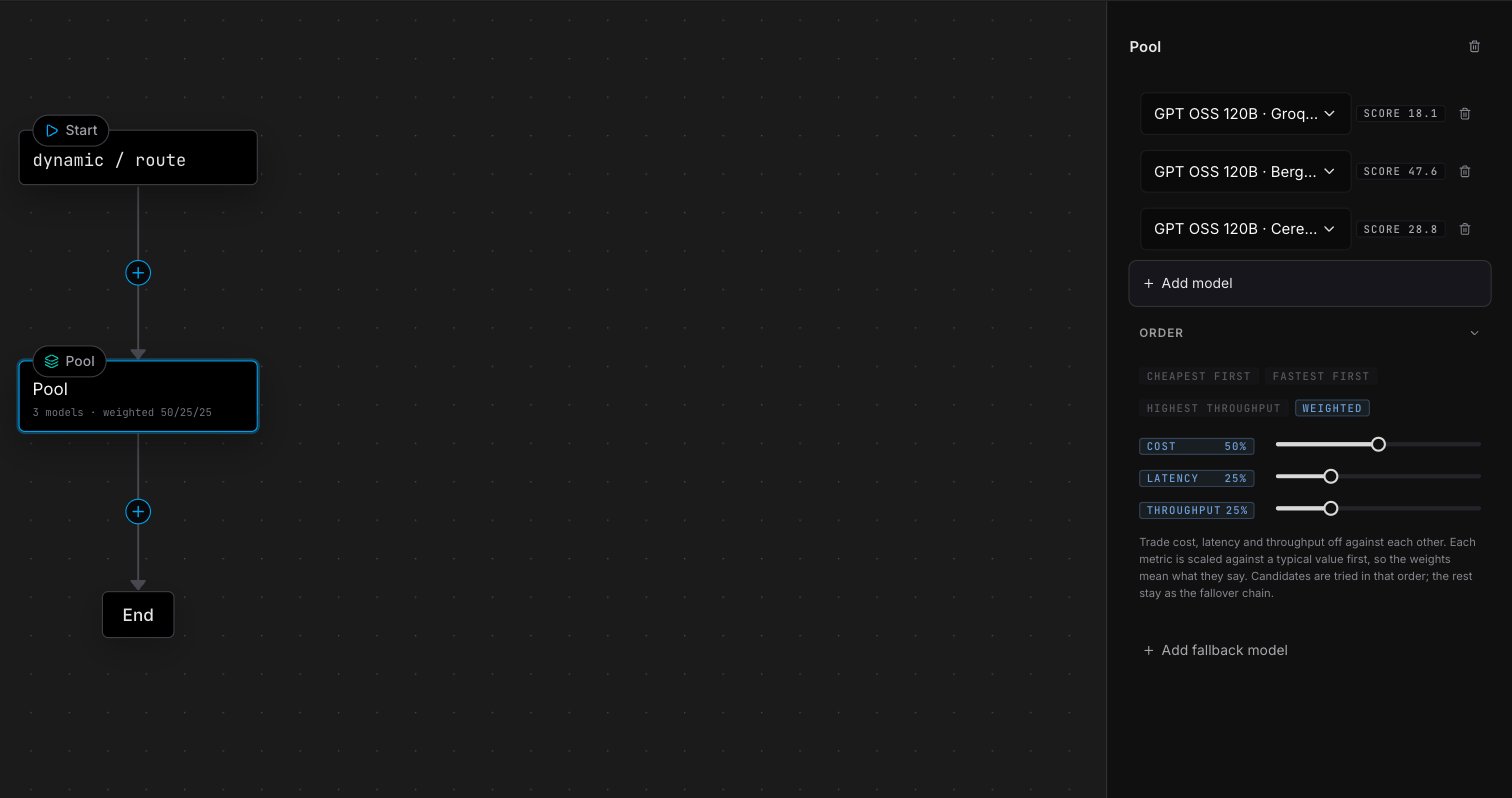
Open Models → Routes in platform.opper.ai and create a route. A new route is three nodes — Start, a Model and End — which already works: the model answers and the walk ends.- Click the + on an edge to add a node there. Under Split traffic you get If / Else, Traffic split and Classifier; below them, Add Model and Add Pool.
- Select a node to edit it in the inspector on the right.
- Save draft keeps your work without changing traffic. Publish deploys it.
Routes can also be created, simulated, deployed and rolled back from code
through the Management API,
with a management key carrying the
dynamic_routes:write scope. The editor
and the API save the same graph.
Model and Pool are the nodes that answer: a request stops at the first one
that produces an answer. Each also has a fallback edge, taken when every
attempt on it failed, so a route can say “try this pool, then that model”.
Observe nodes can only follow an answer.
Conditions
Branch conditions are CEL expressions over the request.metadata is the request’s metadata map, auth the caller, and input the
request itself:
Draft and deployed
Editing changes the draft. Publishing snapshots it as a numbered version and points the route at it. Requests only ever run the active version, so a half-finished edit cannot reach traffic, and a bad deploy is undone by pointing the route back at the previous version. Simulate sends a sample request through the draft and shows the path it takes — which branch matched, which model answered and, for a pool, the order its models would be tried in.What’s next
Pool node
Rank several models per request on price, latency or throughput.
Routing rule
The same ordering for the pool behind a bare model name, no graph needed.