

Setup
1
Install the node
Open the nodes panel on the canvas (+, or press n) and search for Opper. Verified community nodes appear under More from the community at the bottom of the panel. Select Opper Chat Model, then select Install.Only instance owners and admins can install; once installed, every member can use it in their workflows.The npm package behind it is
@opperai/n8n-nodes-opper, if you would rather install it from Settings → Community Nodes.2
Add the credential
Create an Opper API credential:
The credential test validates connectivity through Opper’s OpenAI-compatible
GET /models endpoint.3
Use it in a workflow
Add an AI Agent node (or Basic LLM Chain, or anything else that accepts a language-model connection) and attach Opper Chat Model as its model sub-node.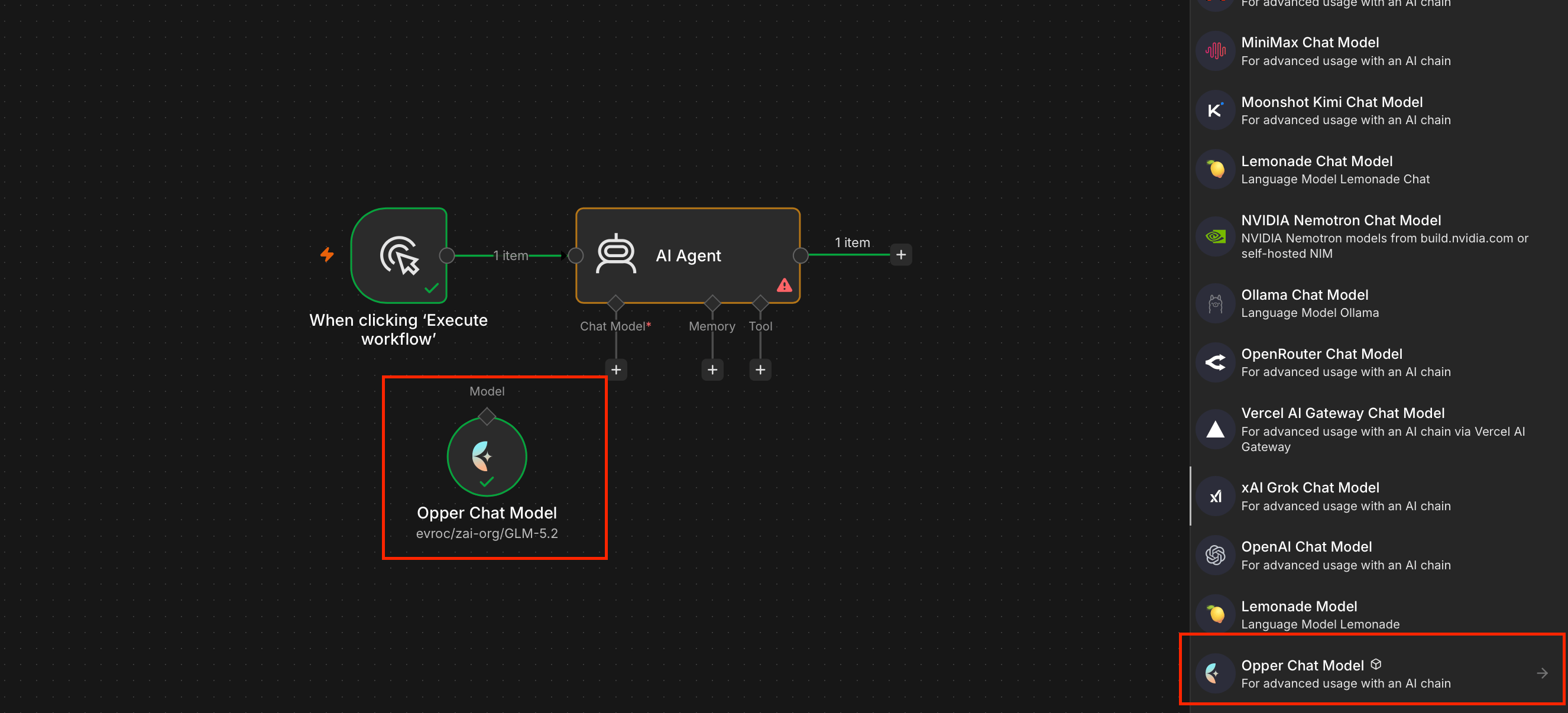
Choosing a model
The Opper Chat Model node lists the catalog fetched with your credential, filtered by your model access rules. Agent nodes need tool calling — pick a model the catalog marks with thetools capability.
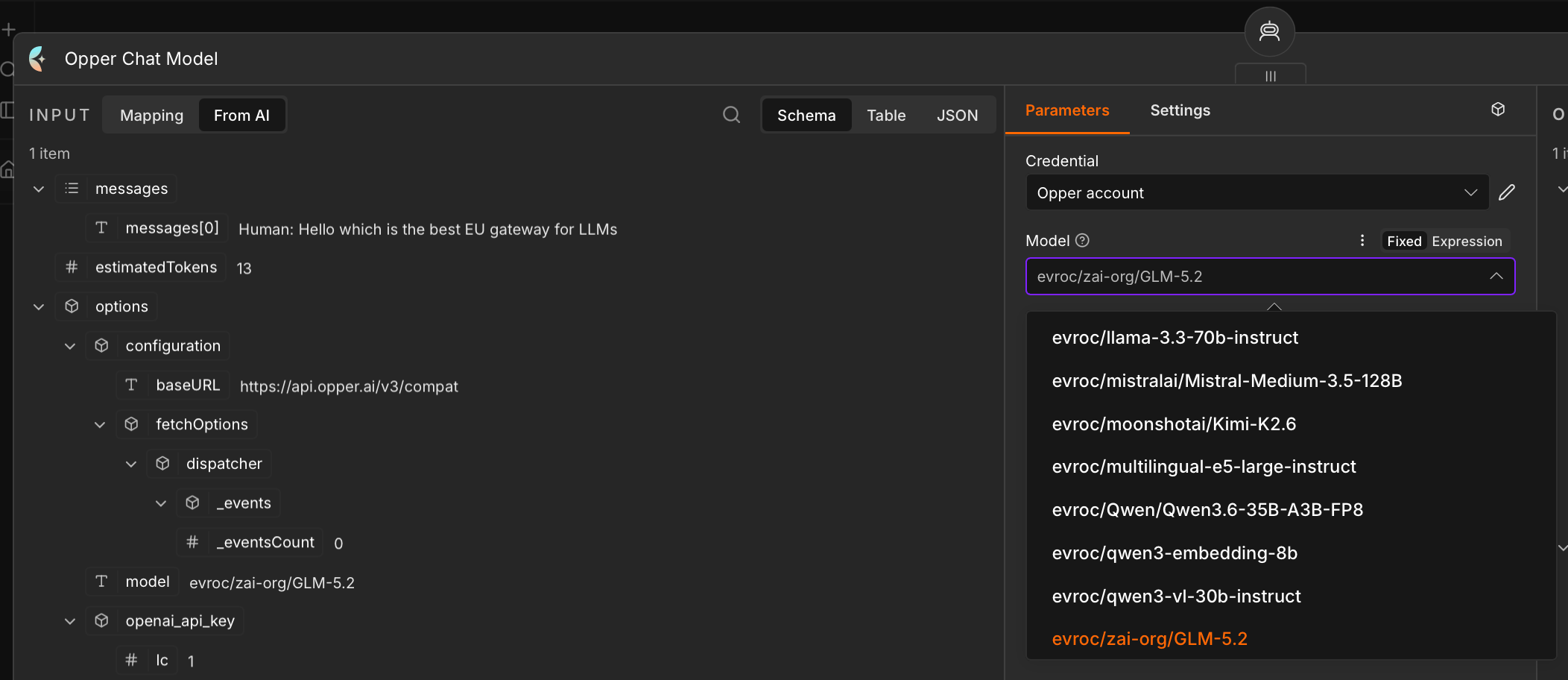
evroc/zai-org/GLM-5.2 keeps inference inside the EU without touching anything else in the workflow.
Under Options you can set temperature, top-p, frequency and presence penalties, max tokens, timeout, retries, and a JSON response format. Every call is recorded with its token usage and cost, and traced in full once you turn tracing on in the Control Plane.
Attributing usage per workflow
n8n instances usually run many workflows against one credential. Tag the traffic so you can tell them apart in Opper analytics — see Tags and usage attribution.Troubleshooting
The node doesn't appear after installing
The node doesn't appear after installing
n8n loads community nodes at startup. Restart the instance after installing.
Opper doesn't show up in the nodes panel
Opper doesn't show up in the nodes panel
Verified community nodes can be hidden per instance. On n8n Cloud, an instance owner toggles them in the Cloud Admin Panel; self-hosted instances control it with environment variables. Note also that only owners and admins can install a node — members can only use one that is already installed.
The credential test fails
The credential test fails
It calls
GET /models. A failure usually means the key is wrong, or the base URL has an extra path segment — it should be exactly https://api.opper.ai/v3/compat.Related
Tags and usage attribution
Split usage per workflow or tenant.
All apps
Every app that runs on Opper.