403 before anything
reaches a provider. Start with an organization allowlist, then narrow it for
projects with stricter requirements.
Model access is a Control Plane feature. With no model-access rule, no models
are excluded by model access.
For the two most common setups, see
Enforce zero data retention and
Keep AI inference in the EU.
Choose a provider data policy
In Rules → Model access, use Provider data policy to choose which provider practices are acceptable for your calls.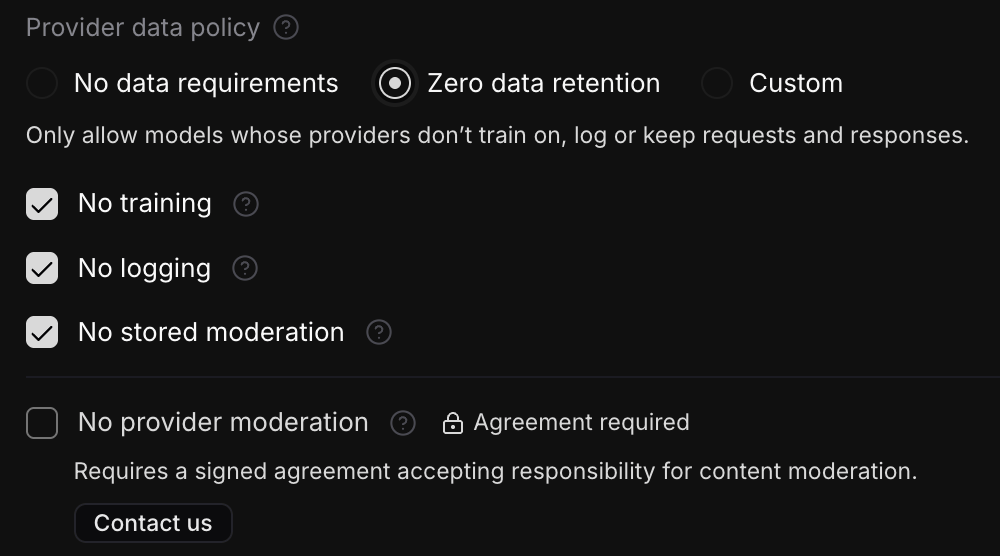
No data requirements leaves those practices unconstrained. It does not
request providers that train on, log, or moderate your content.
The displayed policy follows your selections. For example, selecting only
No training shows Custom; selecting No training, No logging and
No stored moderation shows Zero data retention, even if you also require
No provider moderation. Clearing every requirement returns to No data
requirements and hides the checklist.
Opening an empty Custom editor and cancelling it by selecting No data
requirements does not create a rule.
What each checkbox requires
Checking a box adds a requirement; clearing it removes that requirement. An unchecked box does not require the opposite practice. Requirements inherited from the organization still apply to projects.
These requirements filter models using provider policies recorded in Opper’s
catalog. They do not change provider settings. If the catalog does not establish
a provider’s policy for a selected requirement, its models do not pass that
requirement. A policy you have not selected does not exclude models.
The Zero data retention preset means No training, No logging and
No stored moderation. Provider caching is outside these requirements and is
recorded separately for each route. Configure Opper’s
own tracing and storage separately under Opper retention.
Tools and services your application uses outside Opper keep their own
retention, so review them separately.
Routes that require an agreement
Selecting Zero data retention needs no agreement. Some of the routes it allows still require one before your organization can call them: routes whose IDs begin withazure-zdr or vertexai-zdr, such as azure-zdr/gpt-5.6-luna
and vertexai-zdr/gemini-3.7-flash-eu. Opper approves access to each of these
providers separately, under a signed agreement. Until then, the model catalog
marks their routes Agreement required, and a call to one is refused with
403 and the code entitlement_required before anything reaches the provider.
The two providers handle content differently, so a route that requires an
agreement does not by itself mean provider moderation is off. Opper’s catalog
records these practices for the current routes:
To decide whether you need one of these routes, start from your requirements:
- OpenAI models on Azure. Ordinary Azure routes serve the same models with
no training or request logging and no additional agreement, but they run
provider moderation that may keep flagged content, so Zero data retention
excludes them. To allow them, choose Custom and select No training and
No logging. To use OpenAI models under Zero data retention, you need an
azure-zdrroute. Its agreement makes your organization responsible for content moderation. - Gemini. In Opper’s current catalog, every Gemini route that needs no
agreement is recorded with abuse-monitoring logging, so none of them meets
No logging. For Gemini without provider request logging, you may need a
vertexai-zdrroute. - Location. Both providers have EU and global routes, but not every model has both. Choose a route that meets your processing-location requirement, and use Inference location in your allowlist to enforce it.
vertexai-zdr routes, for
example, are recorded with implicit caching, which No logging does not
cover. Route approval also does not change what Opper itself stores: configure
tracing and storage under Opper retention.
Each route’s details in the model catalog show its recorded training, logging,
and moderation practices, and the models page lists
each route’s price.
When a call is refused with entitlement_required, the error message links to
this page. Where the catalog supports it, the message also names a route for the
same model in the same location that needs no agreement, or says that every
such route is recorded with request logging, or with provider moderation that
may keep flagged content. Opper does not switch the call to another route for
you.
To request access, select Contact us in the route’s details in the model
catalog, or email support@opper.ai with your
organization, the models or routes you need, your required processing location,
and your retention requirements. We can help identify an appropriate route and
arrange the agreement where needed. Provider data policies are part of Rules,
which are a Control Plane feature; approval for a route is granted separately
and does not change your rules.
Arrange approval for No provider moderation
Contact Opper before selecting No provider moderation to arrange a signed agreement accepting responsibility for content moderation. Until Opper approves your organization, the checkbox is unavailable and shows Agreement required. Use the small Contact us button beneath the requirement to open the support flow.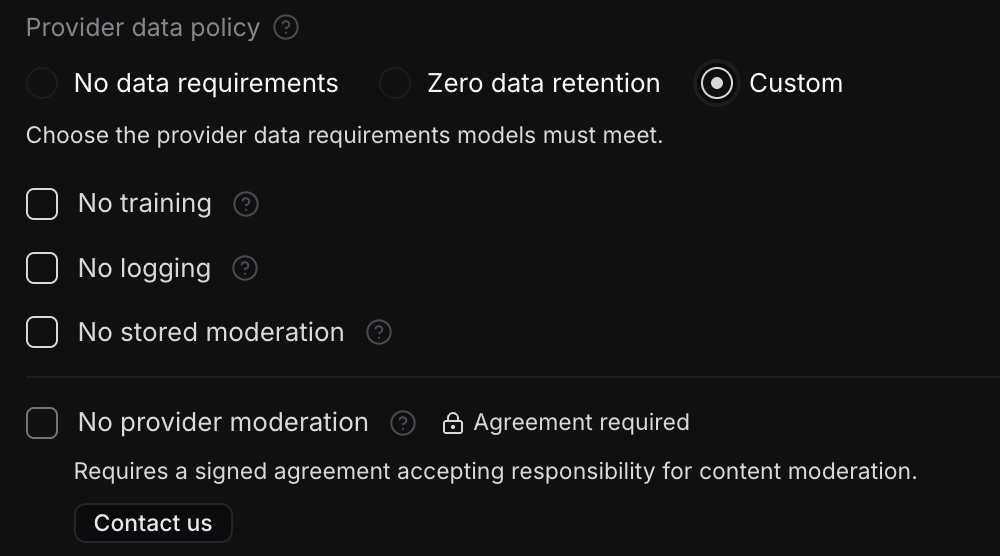
Build an organization allowlist
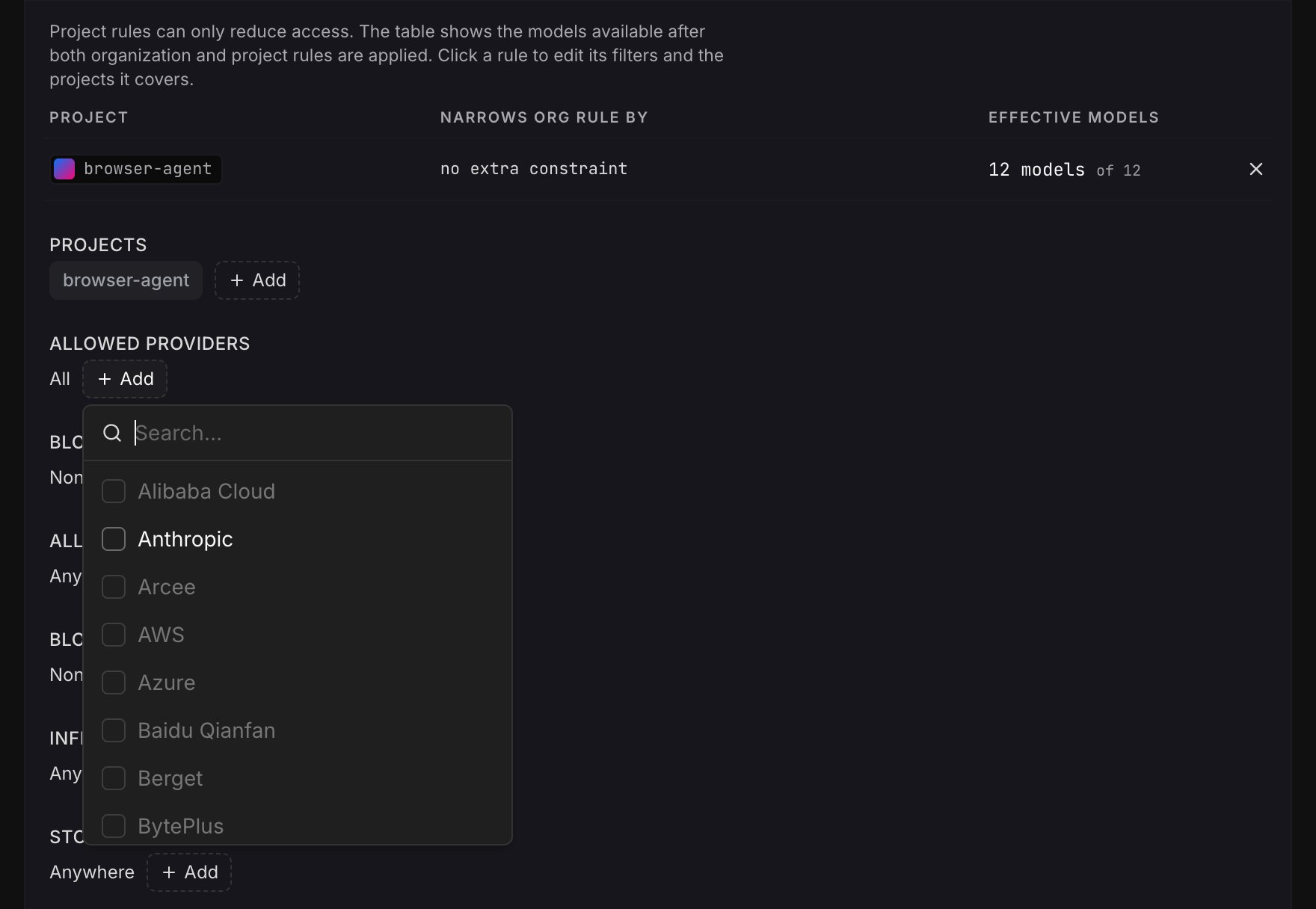
If you do not have an organization allowlist yet, select Set an org allowlist. Filter the catalog by any combination of these fields:
A model must match every field you set. Leave a field empty when you do not want
to filter on it. Blocked providers and routes take precedence. Provider data
requirements apply alongside these filters, so a model must satisfy both.
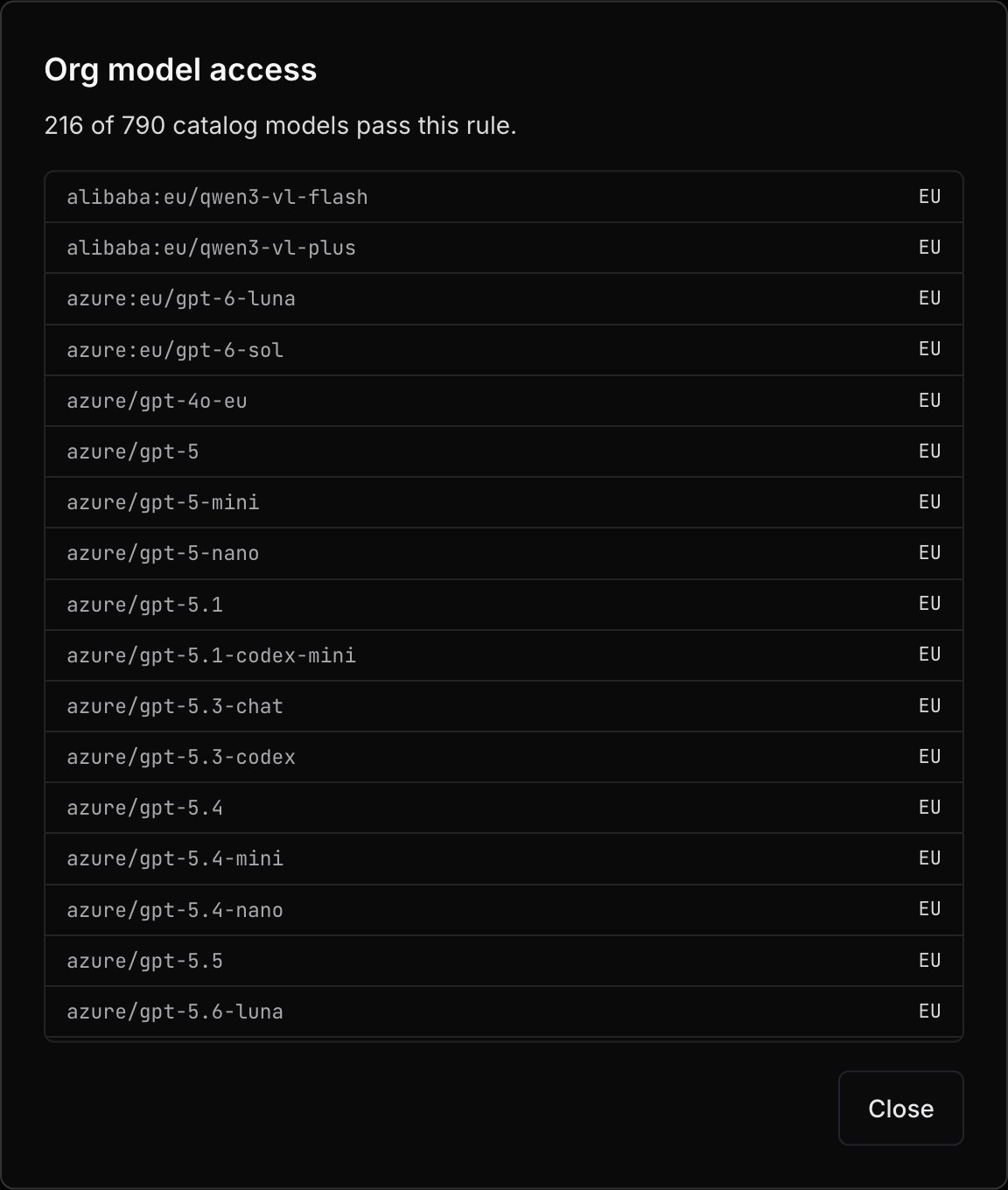
The match counter updates as you edit. Select it to review the exact models that
will remain available before you save.
Select Save changes to apply your draft, or Discard to return to the saved
rules. Changing a selector or checkbox alone does not change live model access.
When Opper adds a provider or route
The allowlist is checked against the live catalog on every call, so it also decides what happens to providers and routes that Opper adds later. There is no separate setting for new providers. The fields you set decide:
Facts the catalog does not have count as a failure. A route with no recorded
inference location counts as
GLOBAL and fails an EU or country filter, and a
data practice that has not been researched fails that requirement. To keep new
providers out until you have reviewed them, set Providers.
What model access covers
Model access applies to every model call: text generation and embeddings, image generation, speech, transcription, video, OCR, realtime voice, and rerank. A disallowed model is refused before anything reaches a provider. Opper does not silently switch to a different model. How a call is checked depends on how it names the model:A default-model rule must point to a model that the same
scope can use. The API refuses a default model that the allowlist excludes, and
refuses an allowlist change that would exclude an existing default model, with
400, until you change or remove that default.What a blocked call returns
Every refusal is HTTP403, sent before the request reaches a provider. That
includes streaming requests: the error comes back before the stream opens. The
message names the model and the condition that failed. It does not name the
rule; the rule’s name and scope are recorded on the call’s
trace.
The body follows the shape of the endpoint you called:
A dynamic route whose Model node is excluded
fails with the code
route_compliance_blocked, and its message names the node
rather than the condition.
For example, a chat completion that pins a US-hosted model under an EU-only
rule returns:
When a
models fallback list names pinned routes and every one is excluded,
their distinct conditions are joined with ; . If the list names bare model
names instead, the first entry’s has no allowed members message comes back.
Two other refusals use their own messages:
- A bare model name with no allowed providers left:
model "claude-sonnet-5" has no allowed members under the current model allowlist. - A route that requires an agreement: code
entitlement_required. See Routes that require an agreement.
the model rules could not be read, so every model is refused until they can be; retry the request.
To check before you call, list models with your API key and
GET https://api.opper.ai/v3/models?include=policy. Each model gets a policy
object with allowed, blocked_by (org, project, or entitlement), and
reason: the condition that failed, as in the part of a 403 message after
the colon. reason is left out when blocked_by is entitlement.
Narrow access for a project
Select Narrow model access for a project to add an override. A project override intersects with the organization rule: it can remove access, but it cannot restore a provider, location, service route, or model that the organization rule excluded. Organization data requirements are inherited too. When the organization sets provider data requirements, the project’s policy selector is locked and the inherited checkboxes stay checked and unavailable for editing. Add requirements that the organization has not set to narrow access further. For example, if the organization requires No training, a project can add No logging, but cannot allow providers that fail the organization’s training requirement. The override summary shows the effective result, not just the fields you added: