

Turn tracing on or off
With tracing On, Opper stores spans, inputs, and outputs for the effective retention period. Set trace retention to a whole number from 1 to 30 days.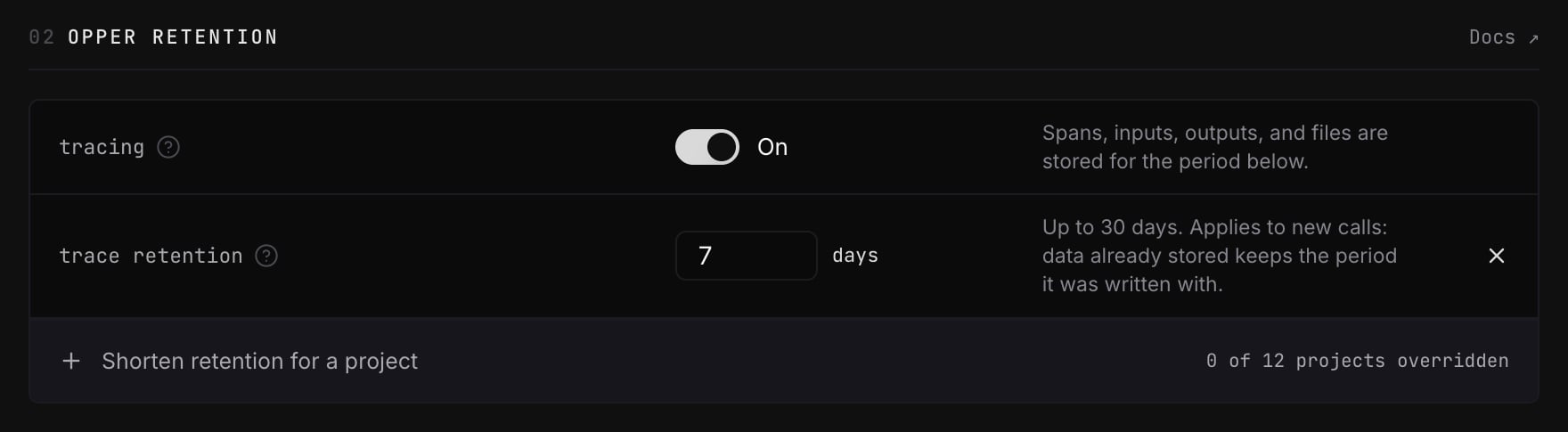

When no organization retention rule is enabled
The toggle also shows Off when the organization rule is missing or disabled. This is different from an enabled 0-day rule: a project can still store traces if it has its own enabled positive retention period. With no applicable enabled retention rule, Opper records usage metadata but does not store traces. Removing the organization rule therefore does not enforce zero-day retention across every project. Check the explanation beside the toggle to see whether retention is zero, the rule is disabled, or no organization rule exists.Shorten retention for a project
With organization tracing on, select Shorten retention for a project and choose a project. Set its period from 0 to 30 days. The effective period is always the shortest enabled retention rule that applies. For example, if the organization keeps traces for 30 days and a project has a 7-day override, that project keeps traces for 7 days. A project cannot extend the organization period. Set a project to 0 days to stop storing its new traces while other projects continue tracing.Files and response caching
Retention applies to traces, not stored files, at every period including 0 days. A file exists only because you asked to keep it (an upload, orstore: true on a generation), so it remains until you delete it or its
expiry passes. See Files and retention policy.
Response caching depends on cache rules only. A retention rule does not turn
it on or off at any period, including 0 days, and neither does a provider data
policy in Model access. Cache rules are set through the
Management API.
Usage metadata is retained separately
Opper keeps a separate usage record for billing and reporting. It contains cost, tokens, latency, status, provider, model, and anyX-Opper-Tags used for
usage attribution. It does not contain
prompts or responses.
Usage records are retained for 5 years, including when tracing is off.
Trace retention rules do not shorten this period. Logs
lists these records one call at a time, and shows each call’s input and
output while its retention period lasts.
Tags are kept with usage records. Avoid putting sensitive data in tags; include
only the identifiers you need for attribution.